前端技术栈以 Jinja2 为模板,TailwindCSS 负责样式,而 Alpine.js 则是实现所有客户端交互的“魔法棒”。Alpine.js 允许我们直接在 HTML 中编写组件逻辑,极大地简化了前端开发。
- aimap_fusion.html:三步联动的 AI 融创流程
此页面是项目的核心,它通过三个阶段——解构、构想、呈现——将用户的图片转化为全新的 AI 设计。这背后是一个清晰的状态流转和两次关键的 API 调用。
关键逻辑:fusionApp 组件逻辑
<script>function fusionApp() {return {// --- 状态定义 ---previewUrl: null,         // 用于图片本地预览的 URLfile: null,               // 用户上传的文件对象isLoading: false,         // “解析”阶段的加载状态isGeneratingImage: false, // “生成视觉图”阶段的加载状态recognitionResult: null,  // 第一次 API 调用返回的“元素解构”结果fusionDesign: null,       // 第一次 API 调用返回的“融合构想”结果generatedImageUrl: null,  // 第二次 API 调用返回的最终图片 URL// --- 方法定义 ---// 文件处理 (选择或拖拽)processFile(f) { this.file = f; this.previewUrl = URL.createObjectURL(f); },// 第一步:开始识别与构想startRecognition() { if(!this.file) return; this.isLoading = true;const fd = new FormData(); fd.append('file', this.file);fetch('/api/recognize_costume', {method:'POST', body:fd}).then(r=>r.json()).then(d=>{ if(d.success){// 更新状态,触发 UI 变化this.recognitionResult = d.recognition;this.fusionDesign = d.fusion_design;} }).finally(()=>this.isLoading=false);},// 第二步:生成视觉图generateImage() {this.isGeneratingImage = true;// 从上一步的结果中获取用于生成图片的 promptconst prompt = this.fusionDesign.image_prompt || this.fusionDesign.fusion_design;fetch('/api/generate_costume_image', {method:'POST', headers:{'Content-Type':'application/json'}, body:JSON.stringify({image_prompt:prompt})}).then(r=>r.json()).then(d=>{ if(d.success) {// 更新状态,显示最终生成的图片this.generatedImageUrl = d.image_url; }}).finally(()=>this.isGeneratingImage=false);}}}
</script>
fusionApp 定义了清晰的状态变量,如 isLoading 和 isGeneratingImage 分别控制两个不同阶段的加载动画,recognitionResult 和 generatedImageUrl 则用于存储 API 返回的数据。当这些状态改变时,HTML 中使用 x-show 或 x-text 指令的元素会自动更新
效果图:

- ai_create.html:灵活的通用 AI 内容工坊
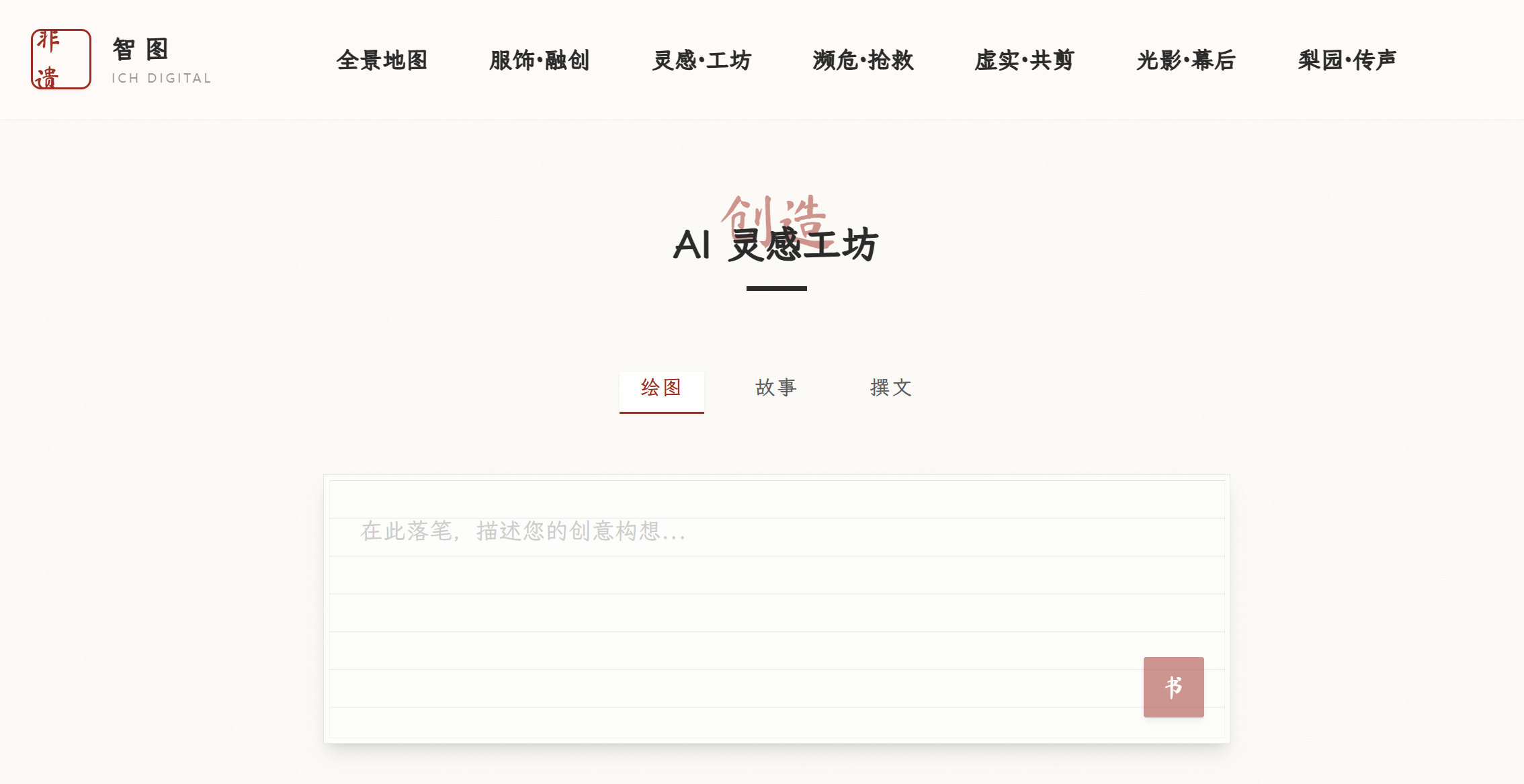
这个页面提供了一个统一的界面来处理绘图、故事和撰文三种不同的 AI 生成任务。它的精妙之处在于用同一个 API 和结果对象,通过 type 状态来区分处理逻辑和展示方式。
关键代码逻辑:
<script>
function createApp() {return {// --- 状态定义 ---type: 'image',      // 当前生成类型 ('image', 'story', 'copy')prompt: '',         // 用户输入的文本loading: false,     // 加载状态result: null,       // 存储 API 返回的完整结果对象// --- 方法定义 ---submit() {this.loading = true; this.result = null;fetch('/api/ai/generate', {method: 'POST', headers: {'Content-Type': 'application/json'},// 将 prompt 和 type 一同发送给后端body: JSON.stringify({prompt: this.prompt, generation_type: this.type})}).then(r=>r.json()).then(d=>{if(d.success) {// 直接将返回的 JSON 对象赋给 resultthis.result = d;}}).finally(()=>this.loading=false);}}
}
</script>
submit 方法将用户的 prompt 和当前的 type 一起打包发送到统一的 /api/ai/generate 接口。后端可以根据 generation_type 字段来决定调用哪个 AI 模型
效果图:
- jingju_synthesis.html:融合 AI 与音频播放
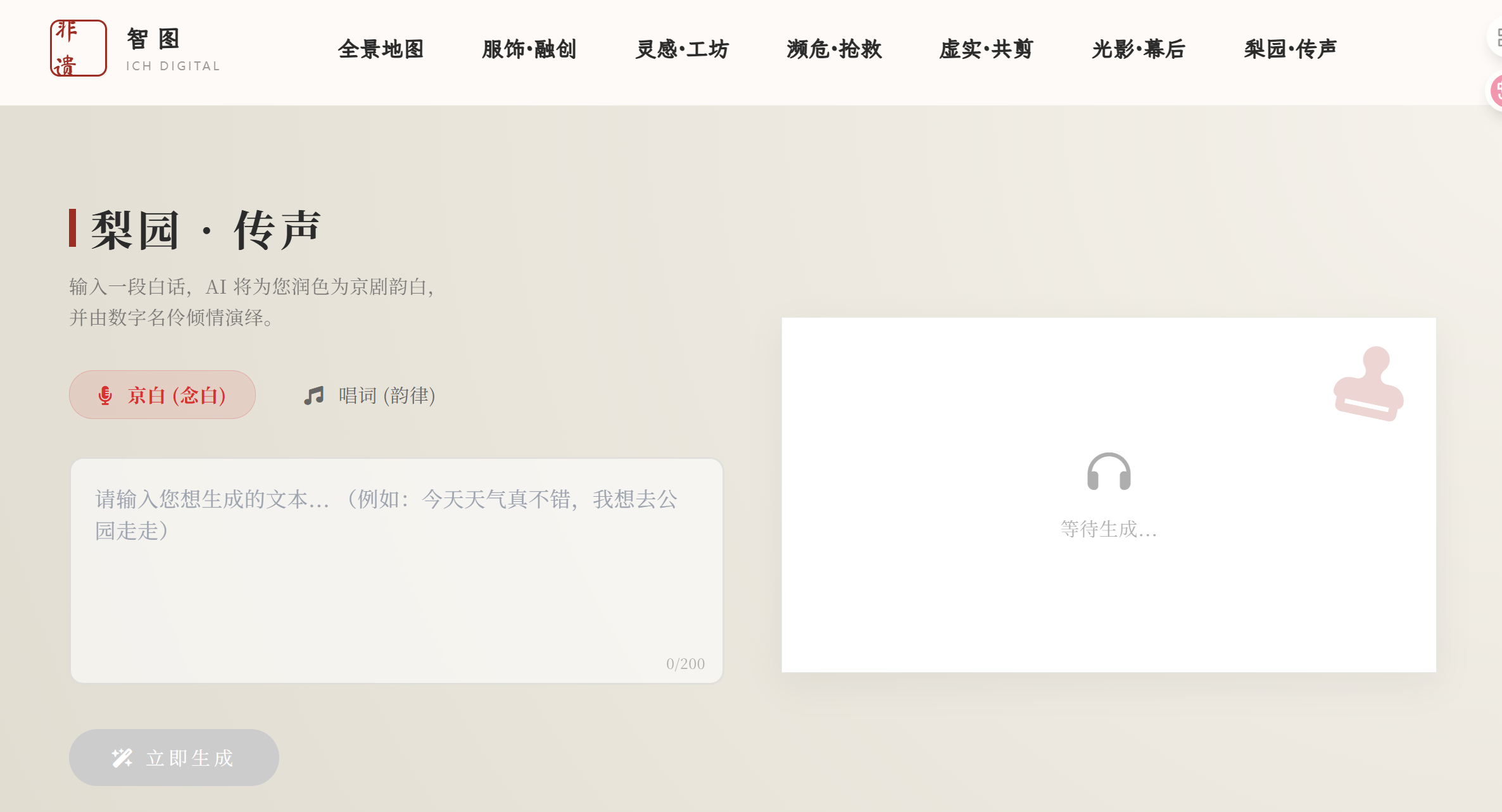
此页面实现了从文本到京剧韵白音频的转换,并内置了播放器。代码的重点在于 API 调用、音频元素 (
关键代码逻辑:
<script>function jingjuApp() {return {// --- 状态定义 ---inputText: '',          // 用户输入的原文resultText: '',         // AI 润色后的京剧文本audioUrl: '',           // 生成的音频文件 URLstyle: 'jingju_nianbai',// 'jingju_nianbai' 或 'jingju_changci'isPlaying: false,       // 是否正在播放loading: false,// --- 方法定义 ---generateAudio() {// ... 省略非核心代码 ...this.loading = true;const audio = this.$refs.audioPlayer; // 通过 x-ref 获取 audio 元素audio.pause();fetch('/api/jingju', {method: 'POST',headers: {'Content-Type': 'application/json'},body: JSON.stringify({ text: this.inputText, prompt_style: this.style })}).then(res => res.json()).then(data => {if (data.ok) {this.resultText = data.jingju_text;this.audioUrl = data.wav_url;audio.src = this.audioUrl; // 设置音频源audio.load();audio.play().then(() => {this.isPlaying = true; // 播放成功后更新状态});}}).finally(() => { this.loading = false; });},togglePlay() {const audio = this.$refs.audioPlayer;if (this.isPlaying) {audio.pause();} else {if (this.audioUrl) audio.play();}// isPlaying 状态会通过 audio 元素的 @play 和 @ended 事件自动更新}}}
</script>
通过在
效果图:
- recognize.html:纯粹的 API 测试与展示
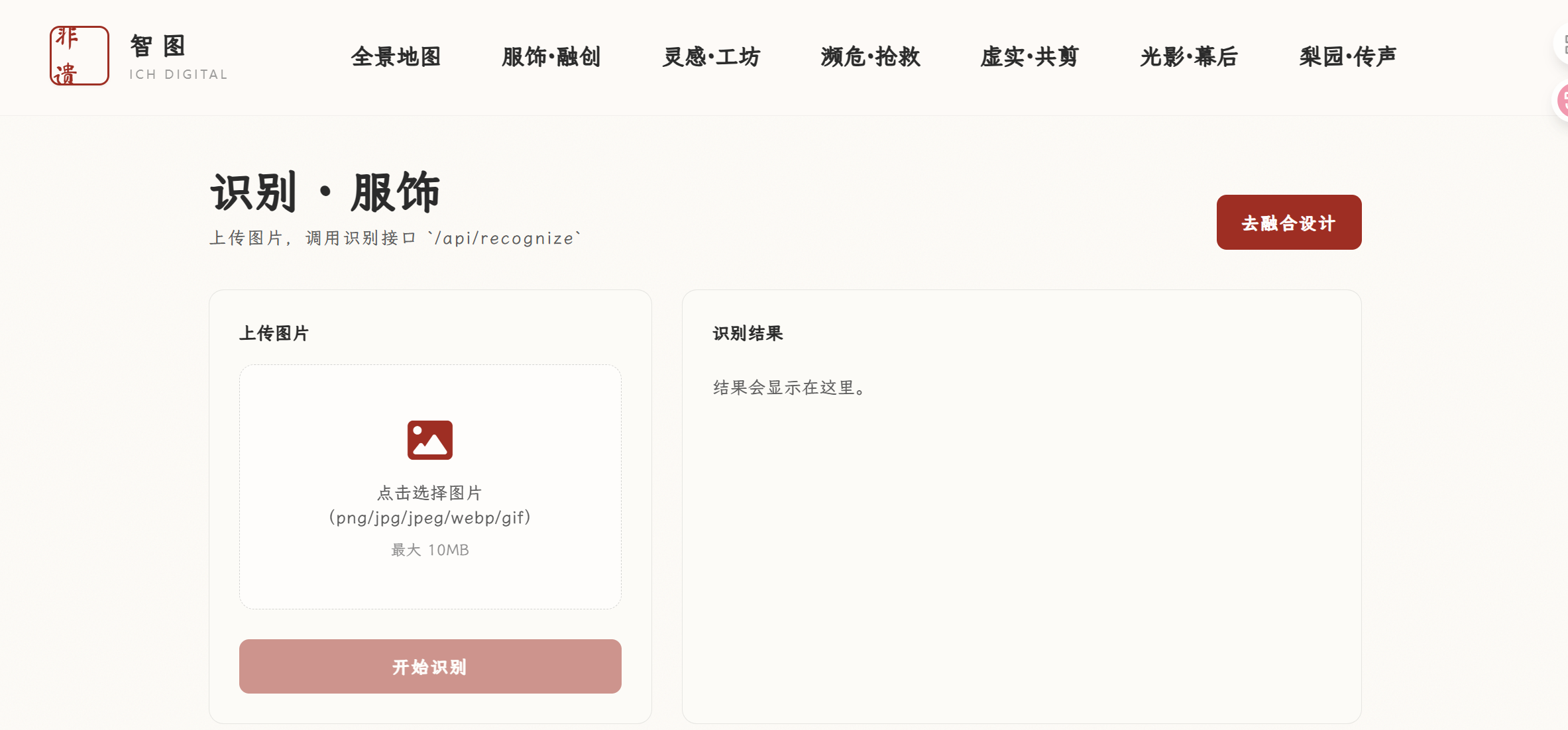
这个页面功能最直接:上传图片,调用 API,然后将返回的原始 JSON 数据完整显示。在主项目中没有展示,测试效果良好
关键代码逻辑:
<script>function recognizeApp() {return {// ... 状态定义: file, previewUrl, loading, error ...raw: null, // 用于存储完整的 API 响应 JSONasync submit() {this.error = "";this.raw = null;if (!this.file) return;this.loading = true;try {const form = new FormData();form.append("file", this.file);const resp = await fetch("/api/recognize", { method: "POST", body: form });const data = await resp.json().catch(() => ({})); // 防止 JSON 解析失败if (!resp.ok || !data.success) {this.error = (data && data.error) ? data.error : `请求失败 (HTTP ${resp.status})`;return;}this.raw = data; // 将整个成功响应赋给 raw} catch (e) {this.error = String(e);} finally {this.loading = false;}},// ...}}
</script>
结果直接存储在 raw 状态中。HTML 中使用
将其格式化后优雅地展示出来效果图: