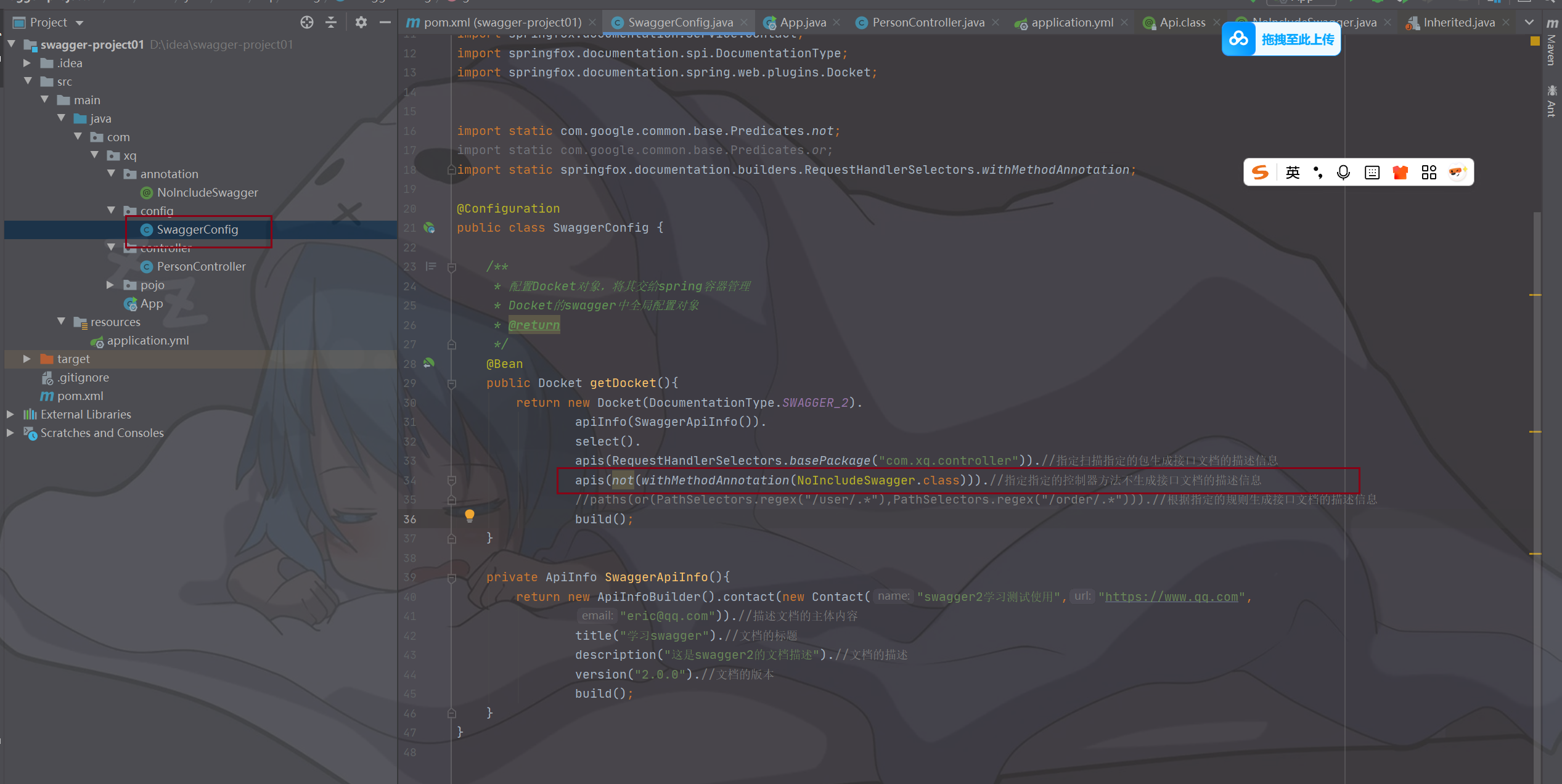
效果:
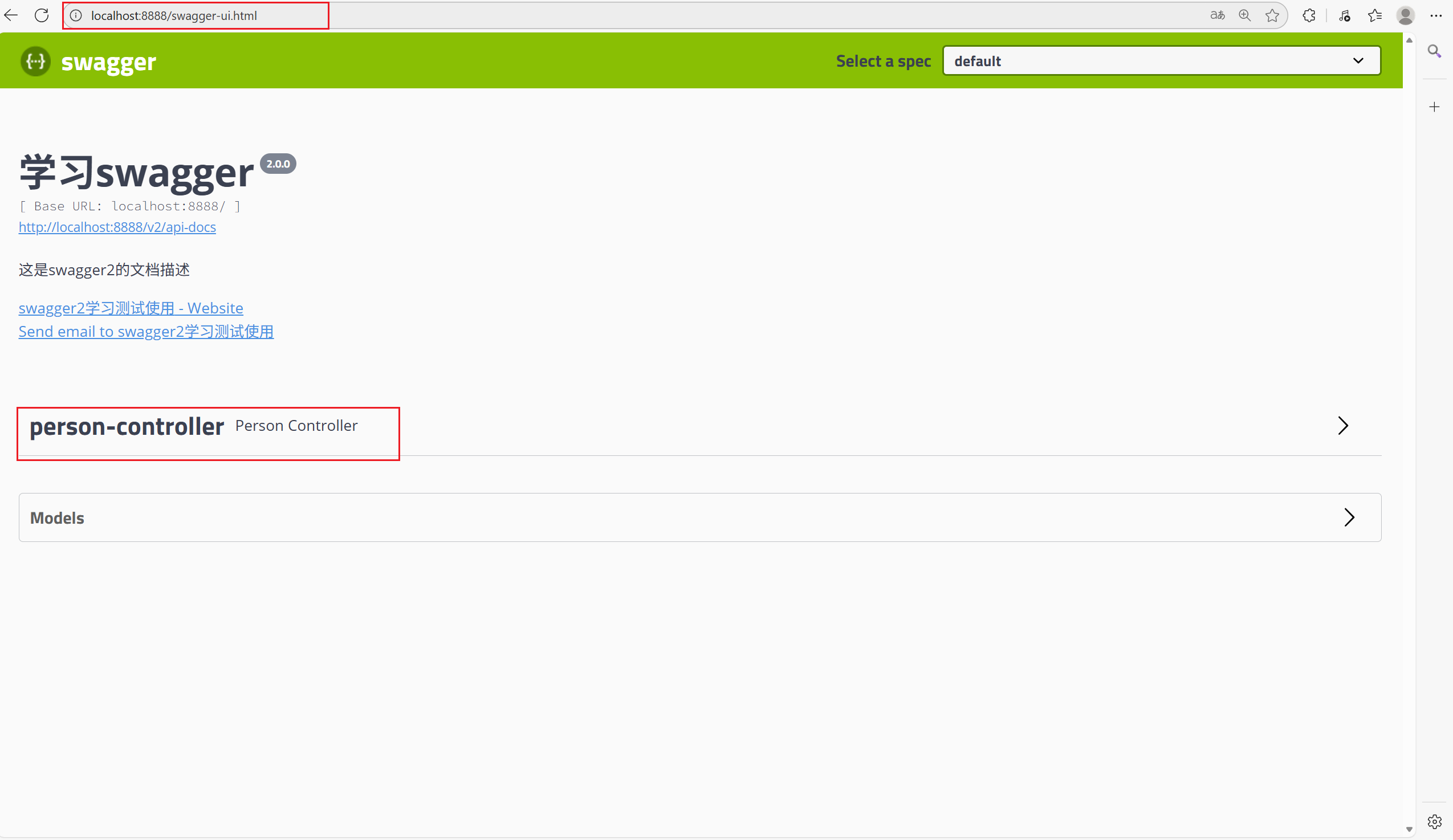
图片中是访问接口文档的路径
一、基本配置
1.pom.xml中导入依赖:(根据需要的版本导入)
<!-- swagger api文档 --><dependency><groupId>io.springfox</groupId><artifactId>springfox-swagger2</artifactId><version>2.7.0</version></dependency><!--swagger ui--><dependency><groupId>io.springfox</groupId><artifactId>springfox-swagger-ui</artifactId><version>2.7.0</version></dependency>
2.在启动类添加注解@EnableSwagger2
package com.xq;import org.springframework.boot.SpringApplication;
import org.springframework.boot.autoconfigure.SpringBootApplication;
import springfox.documentation.swagger2.annotations.EnableSwagger2;@SpringBootApplication
@EnableSwagger2//开启对所有控制器的扫描
public class GYMServiceWebApplication {public static void main(String[] args) {SpringApplication.run(GYMServiceWebApplication.class, args);}
}
3.编写配置信息(不重要)
package com.xq.config;
import org.springframework.context.annotation.Bean;
import org.springframework.context.annotation.Configuration;
import springfox.documentation.builders.ApiInfoBuilder;
import springfox.documentation.service.ApiInfo;
import springfox.documentation.service.Contact;
import springfox.documentation.spi.DocumentationType;
import springfox.documentation.spring.web.plugins.Docket;
@Configuration
public class SwaggerConfig{/*** 创建Docket类型的对象,并使用Spring容器管理* Docket是Swagger中的全局配置对象* @return*/@Beanpublic Docket getDocket() {return new Docket(DocumentationType.SWAGGER_2).apiInfo(swaggerDemoApiInfo()).select().build();}private ApiInfo swaggerDemoApiInfo(){return new ApiInfoBuilder().contact(new Contact("JAVA学习社区","https://www.qq.com","eric@qq.com")) //配置文档主体内容
//文档标题.title("这里是Swagger的标题")
//文档描述.description("这里是Swagger的描述")
//文档版本.version("1.0.0").build();}
}
二、自定义注解和元注解
package com.xq.annotation;import java.lang.annotation.ElementType;
import java.lang.annotation.Retention;
import java.lang.annotation.RetentionPolicy;
import java.lang.annotation.Target;/*** 编写自定义注解,一定要加上元注解信息,所谓的元注解就是我们再定义注解的时候必须携带的注解信息,参考springmvc的注解。* 常见的元注解:* @Target:描述的是当前注解需要修饰哪个目标资源.*      @Target(ElementType.TYPE) 描述当前注解可以修饰类或接口*      @Target(ElementType.FIELD) 当前注解可以修饰成员变量*      @Target(ElementType.METHOD)  当前注解可以修饰方法*      @Target(ElementType.PARAMETER) 当前注解可以修饰方法参数*  ......* @Inherited  被修饰的注解具有继承性* @Documented  指的是被修饰的注解可以被javadoc工具提取成文档* @Retention  定义注解的生命周期(保留策略)*      @Retention(RetentionPolicy.SOURCE) 当前注解只会存在源码中,不会被编译,更不会被运行*      @Retention(RetentionPplicy.CLASS)  当前注解会参与编译,但是不会参与运行*      @Retention(RetentionPolicy.RUNTIME)  当前注解既参与编译,有参与运行,在运行时我们会基于反射的机制获取到该注解信息*/@Target({ElementType.METHOD})
@Retention(RetentionPolicy.RUNTIME)
public @interface NoIncludeSwagger {
}
自定义注解如何起作用:(该注解的作用:不需要生成对应控制器方法的接口文档)