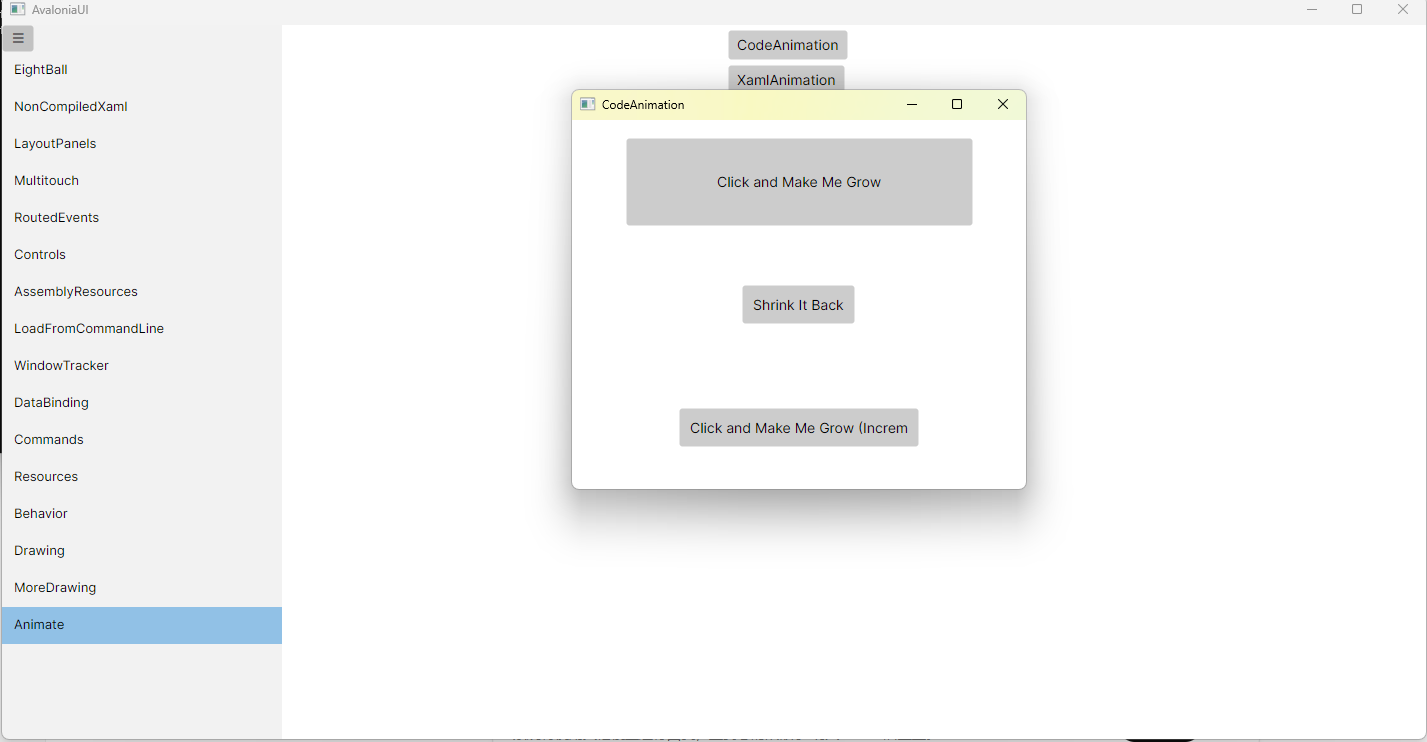
例子展现了两种设置动画的方法,各位自行选择。
CodeAnimation.axaml代码
<Window xmlns="https://github.com/avaloniaui"xmlns:x="http://schemas.microsoft.com/winfx/2006/xaml"xmlns:d="http://schemas.microsoft.com/expression/blend/2008"xmlns:mc="http://schemas.openxmlformats.org/markup-compatibility/2006"Height="369.6" Width="454.4"x:Class="AvaloniaUI.CodeAnimation"Title="CodeAnimation"><Grid RowDefinitions="*,*,*"><Button Padding="10" Name="cmdGrow" Click="cmdGrow_Click" Height="40" Width="160"HorizontalAlignment="Center"VerticalAlignment="Center"HorizontalContentAlignment="Center"        VerticalContentAlignment="Center">Click and Make Me Grow</Button><Button Grid.Row="1" Padding="10" Click="cmdShrink_Click"HorizontalAlignment="Center"VerticalAlignment="Center"HorizontalContentAlignment="Center"VerticalContentAlignment="Center">Shrink It Back</Button><Button Grid.Row="2" Padding="10" Name="cmdGrowIncrementally" Click="cmdGrowIncrementally_Click"HorizontalAlignment="Center" VerticalAlignment="Center" Width="240">Click and Make Me Grow (Incrementally)</Button></Grid>
</Window>
CodeAnimation.axaml.cs代码
using Avalonia;
using Avalonia.Animation;
using Avalonia.Animation.Easings;
using Avalonia.Controls;
using Avalonia.Interactivity;
using Avalonia.Markup.Xaml;
using Avalonia.Styling;
using System;
using System.Reactive.Linq;
using System.Threading;namespace AvaloniaUI;public partial class CodeAnimation : Window
{public CodeAnimation(){InitializeComponent();// 在代码里给按钮设置 TransitioncmdGrow.Transitions = new Transitions{new DoubleTransition{Property = Button.WidthProperty,Duration = TimeSpan.FromSeconds(5),Easing = new SineEaseInOut()},new DoubleTransition{Property = Button.HeightProperty,Duration = TimeSpan.FromSeconds(5),Easing = new SineEaseInOut()}};}private void cmdGrow_Click(object? sender, RoutedEventArgs e){// 设置目标值,相当于 WPF 的 TocmdGrow.Width = this.Width - 100;cmdGrow.Height = (this.Height - 100) / 3;cmdGrow.GetObservable(Button.WidthProperty).Subscribe(v =>{if (v == this.Width - 100){Console.WriteLine("Completed");}});}private void cmdShrink_Click(object? sender, RoutedEventArgs e){cmdGrow.Width = 160;cmdGrow.Height = 40;}private void cmdGrowIncrementally_Click(object? sender, RoutedEventArgs e){var animation = new Animation{Duration = TimeSpan.FromSeconds(0.5),Children ={new KeyFrame{Cue = new Cue(1),Setters ={new Setter(Button.WidthProperty, cmdGrowIncrementally.Width + 10)}}},FillMode = FillMode.Forward};_ = animation.RunAsync(cmdGrowIncrementally);}
}
运行效果