背景
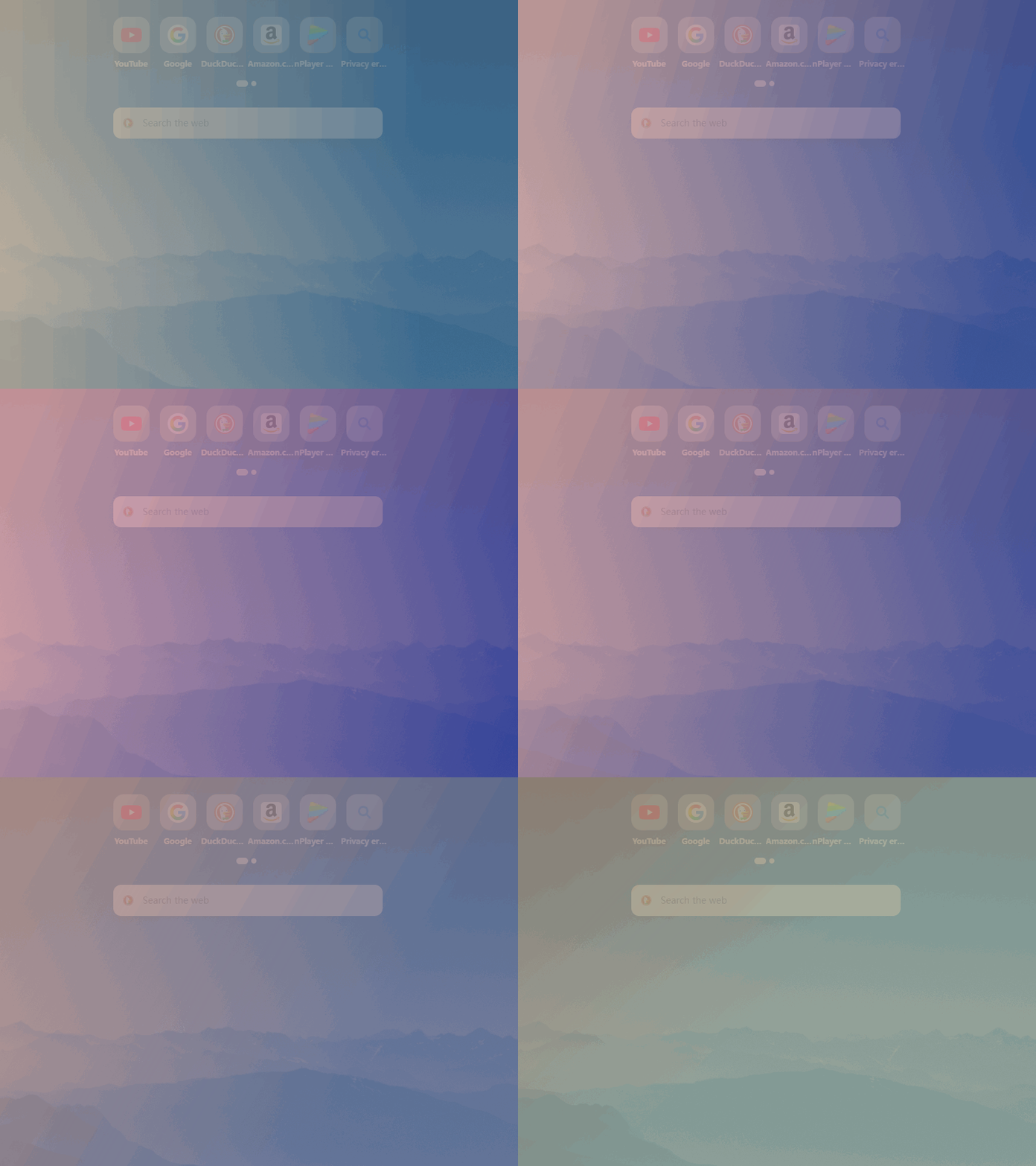
先看效果 (gif录制掉帧,请自行编译源码查看,效果比gif流畅)
完整源码
#ifndef GRADIENTWIDGET_H
#define GRADIENTWIDGET_H#include <QWidget>
#include <QColor>
#include <QPointF>class QTimer;
class QParallelAnimationGroup;class GradientWidget : public QWidget
{Q_OBJECTQ_PROPERTY(QColor startColor READ startColor WRITE setStartColor)Q_PROPERTY(QColor endColor READ endColor WRITE setEndColor)Q_PROPERTY(QPointF startPoint READ startPoint WRITE setStartPoint)Q_PROPERTY(QPointF endPoint READ endPoint WRITE setEndPoint)public:GradientWidget(QWidget* parent = nullptr);~GradientWidget();QColor startColor() const;QColor endColor() const;QPointF startPoint() const;QPointF endPoint() const;public slots:void setStartColor(const QColor& color);void setEndColor(const QColor& color);void setStartPoint(const QPointF& point);void setEndPoint(const QPointF& point);protected:void paintEvent(QPaintEvent* event) override;void resizeEvent(QResizeEvent* event) override;// 添加鼠标事件以实现无边框窗口拖动void mousePressEvent(QMouseEvent* event) override;void mouseMoveEvent(QMouseEvent* event) override;private slots:void updateAnimation();private:QColor getRandomSoftColor();QPointF getRandomPointOnEdge();QTimer* m_timer;QParallelAnimationGroup* m_animationGroup;QColor m_startColor;QColor m_endColor;QPointF m_startPoint;QPointF m_endPoint;// 用于窗口拖动的成员变量QPoint m_dragPosition;
};#endif // GRADIENTWIDGET_H
#include "gradientwidget.h"
#include <QPainter>
#include <QLinearGradient>
#include <QPaintEvent>
#include <QMouseEvent>
#include <QTimer>
#include <QRandomGenerator>
#include <QPropertyAnimation>
#include <QParallelAnimationGroup>
#include <QEasingCurve>GradientWidget::GradientWidget(QWidget* parent): QWidget(parent)
{// --- 新增:为半透明和无边框进行设置 ---setWindowFlags(Qt::FramelessWindowHint);setAttribute(Qt::WA_TranslucentBackground, true);// 初始化颜色和渐变点m_startColor = getRandomSoftColor();m_endColor = getRandomSoftColor();m_startPoint = getRandomPointOnEdge();m_endPoint = getRandomPointOnEdge();// 创建动画组m_animationGroup = new QParallelAnimationGroup(this);// 为四个属性创建动画auto setupAnimation = [this](const QByteArray& propertyName){QPropertyAnimation* anim = new QPropertyAnimation(this, propertyName, this);anim->setDuration(5000); // 延长动画时间,让变化更柔和anim->setEasingCurve(QEasingCurve::InOutSine);m_animationGroup->addAnimation(anim);return anim;};setupAnimation("startColor");setupAnimation("endColor");setupAnimation("startPoint");setupAnimation("endPoint");// 创建定时器m_timer = new QTimer(this);connect(m_timer, &QTimer::timeout, this, &GradientWidget::updateAnimation);m_timer->start(4500); // 时间比动画时长略短,实现无缝连接updateAnimation(); // 立即开始第一次动画
}GradientWidget::~GradientWidget() {}void GradientWidget::paintEvent(QPaintEvent* event)
{Q_UNUSED(event);QPainter painter(this);painter.setRenderHint(QPainter::Antialiasing);// 注意:由于设置了WA_TranslucentBackground,我们不需要手动清除背景// 直接绘制带Alpha通道的渐变即可QLinearGradient gradient(m_startPoint, m_endPoint);gradient.setColorAt(0, m_startColor);gradient.setColorAt(1, m_endColor);painter.fillRect(rect(), gradient);
}void GradientWidget::resizeEvent(QResizeEvent* event)
{updateAnimation();QWidget::resizeEvent(event);
}// --- 新增:鼠标事件处理 ---
void GradientWidget::mousePressEvent(QMouseEvent* event)
{if (event->button() == Qt::LeftButton){m_dragPosition = event->globalPos() - frameGeometry().topLeft();event->accept();}
}void GradientWidget::mouseMoveEvent(QMouseEvent* event)
{if (event->buttons() & Qt::LeftButton){move(event->globalPos() - m_dragPosition);event->accept();}
}void GradientWidget::updateAnimation()
{m_animationGroup->stop();// 更新起始颜色动画的目标值auto startColorAnim = static_cast<QPropertyAnimation*>(m_animationGroup->animationAt(0));startColorAnim->setStartValue(m_startColor);startColorAnim->setEndValue(getRandomSoftColor()); // 使用新函数// 更新结束颜色动画的目标值auto endColorAnim = static_cast<QPropertyAnimation*>(m_animationGroup->animationAt(1));endColorAnim->setStartValue(m_endColor);endColorAnim->setEndValue(getRandomSoftColor()); // 使用新函数// 更新起始点动画的目标值auto startPointAnim = static_cast<QPropertyAnimation*>(m_animationGroup->animationAt(2));startPointAnim->setStartValue(m_startPoint);startPointAnim->setEndValue(getRandomPointOnEdge());// 更新结束点动画的目标值auto endPointAnim = static_cast<QPropertyAnimation*>(m_animationGroup->animationAt(3));endPointAnim->setStartValue(m_endPoint);endPointAnim->setEndValue(getRandomPointOnEdge());m_animationGroup->start();
}/*** @brief 生成一个柔和的、半透明的随机颜色* RGB分量范围:60 ~ 230* Alpha分量固定:220 (约86%不透明度)*/
QColor GradientWidget::getRandomSoftColor()
{int r = 60 + QRandomGenerator::global()->bounded(171); // 范围 60-230int g = 60 + QRandomGenerator::global()->bounded(171); // 范围 60-230int b = 60 + QRandomGenerator::global()->bounded(171); // 范围 60-230return QColor(r, g, b, 220); // 固定Alpha值
}QPointF GradientWidget::getRandomPointOnEdge()
{if (width() == 0 || height() == 0) return QPointF(0, 0);int edge = QRandomGenerator::global()->bounded(4);switch (edge){case 0: return QPointF(QRandomGenerator::global()->bounded(width()), 0); // Topcase 1: return QPointF(width(), QRandomGenerator::global()->bounded(height())); // Rightcase 2: return QPointF(QRandomGenerator::global()->bounded(width()), height()); // Bottomcase 3:default: return QPointF(0, QRandomGenerator::global()->bounded(height())); // Left}
}// Getters and Setters
QColor GradientWidget::startColor() const { return m_startColor; }
QColor GradientWidget::endColor() const { return m_endColor; }
QPointF GradientWidget::startPoint() const { return m_startPoint; }
QPointF GradientWidget::endPoint() const { return m_endPoint; }void GradientWidget::setStartColor(const QColor& color)
{m_startColor = color;update();
}void GradientWidget::setEndColor(const QColor& color)
{m_endColor = color;update();
}void GradientWidget::setStartPoint(const QPointF& point)
{m_startPoint = point;update();
}void GradientWidget::setEndPoint(const QPointF& point)
{m_endPoint = point;update();
}
main.cpp
include "gradientwidget.h"
#include <QApplication>int main(int argc, char* argv[])
{QApplication a(argc, argv);GradientWidget w;w.setWindowTitle("Dynamic Gradient Background");w.resize(800, 600);w.show();return a.exec();
}
