Install python
https://www.python.org/
for example:
python-3.14.0-amd64.exe
install

List all python installed in local machine
> py -0
-V:3.14 * Python 3.14 (64-bit)
-V:3.13 Python 3.13 (64-bit)
-V:3.12 Python 3.12 (64-bit)
-V:3.11 Python 3.11 (64-bit)
Create virtual enviornement for python project
> python --version
Python 3.9.13
> py -m venv myenv_3_14
> .\myenv_3_14\Scripts\activate
(myenv_3_14) PS D:\
(myenv_3_14) PS D:\> python --version
Python 3.14.0
(myenv_3_14)
> deactivate
Jupyter Notebook
> py --version
Python 3.14.0
> py -m pip install --upgrade pip
> py -m pip install notebook
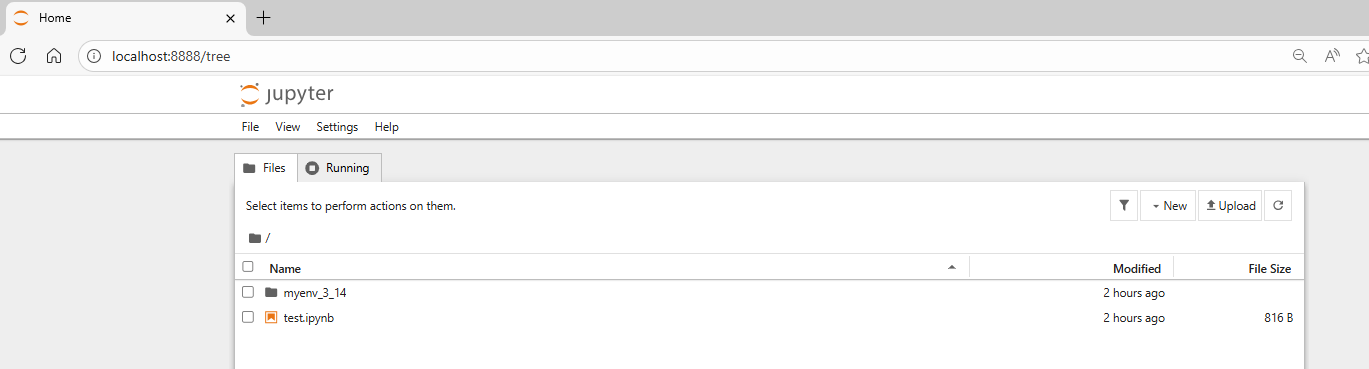
> jupyter notebook
[I 2025-11-25 20:46:28.199 ServerApp] Extension package jupyter_server_terminals took 0.6866s to import
[I 2025-11-25 20:46:28.706 ServerApp] jupyter_lsp | extension was successfully linked.
[I 2025-11-25 20:46:28.712 ServerApp] jupyter_server_terminals | extension was successfully linked.
[I 2025-11-25 20:46:28.727 ServerApp] jupyterlab | extension was successfully linked.
[I 2025-11-25 20:46:28.738 ServerApp] notebook | extension was successfully linked.
...

Or copy and paste one of these URLs:http://localhost:8888/tree?token=a7b0746c1f0cd96588efa4198781436a3d4cf4ff2e7dbdf6http://127.0.0.1:8888/tree?token=a7b0746c1f0cd96588efa4198781436a3d4cf4ff2e7dbdf6
✅ 1. Jupyter Notebook
- What it is:
An interactive web-based environment for writing and running code, especially popular in data science and machine learning. - Key Features:
- Runs in your browser.
- Supports Markdown for documentation alongside code.
- Allows inline visualization (charts, plots, images).
- Supports multiple languages via kernels (Python, R, Julia, etc.).
- Ideal for exploratory programming, data analysis, and sharing notebooks.
- Use Case:
Great for data science, machine learning, prototyping, and teaching.
✅ 2. Regular Python Notebook / IDE (e.g., VS Code, PyCharm)
- What it is:
A traditional development environment for writing Python scripts (.pyfiles). - Key Features:
- Focused on software development rather than interactive exploration.
- No built-in Markdown or inline visualization (though IDEs can integrate tools).
- Better for large projects, debugging, and version control.
- Use Case:
Ideal for production code, backend development, and complex applications.
✅ Main Differences
| Feature | Jupyter Notebook | Python IDE / Notebook |
|---|---|---|
| Interface | Web-based | Desktop application |
| File Type | .ipynb |
.py |
| Documentation | Markdown + Code | Comments only |
| Visualization | Inline plots/images | Separate windows |
| Best For | Data analysis, ML | Full-scale development |
User VS code Edit .ipynb code
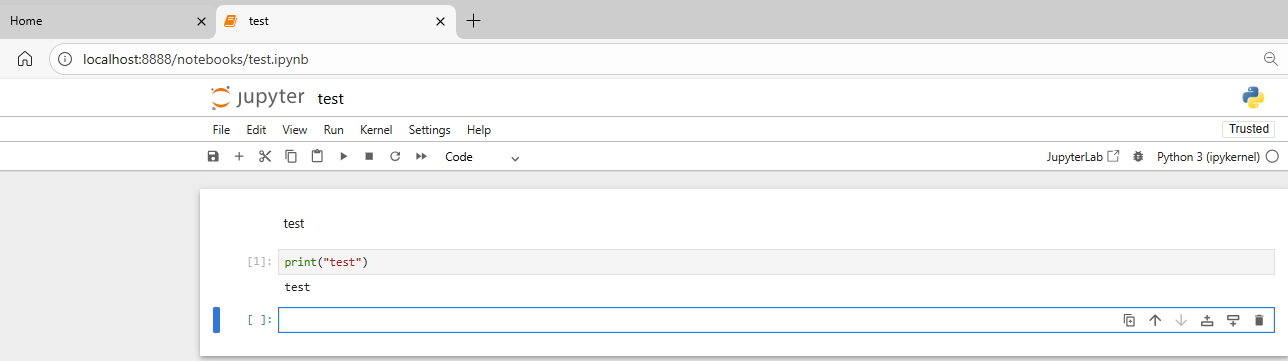
add file test.ipynb

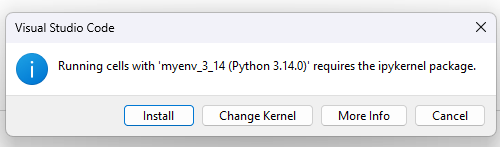
ipykernel is a key component of the Jupyter ecosystem. Here’s what it is and why it matters:
✅ What is ipykernel?
- Definition:
ipykernelis the Python kernel for Jupyter. A kernel is the computational engine that executes the code contained in your Jupyter Notebook cells. - It allows Jupyter Notebook (or JupyterLab) to run Python code and communicate with the notebook interface.
✅ How it works
- When you start a Jupyter Notebook, it launches a kernel in the background.
- The kernel:
- Executes Python code.
- Sends results back to the notebook interface.
- Handles variables, imports, and state during your session.
✅ Why do you need it?
- Without
ipykernel, Jupyter cannot run Python code. - It’s installed automatically with Jupyter, but if you want to add Python to Jupyter from a virtual environment, you need to install
ipykernelin that environment.
PS,
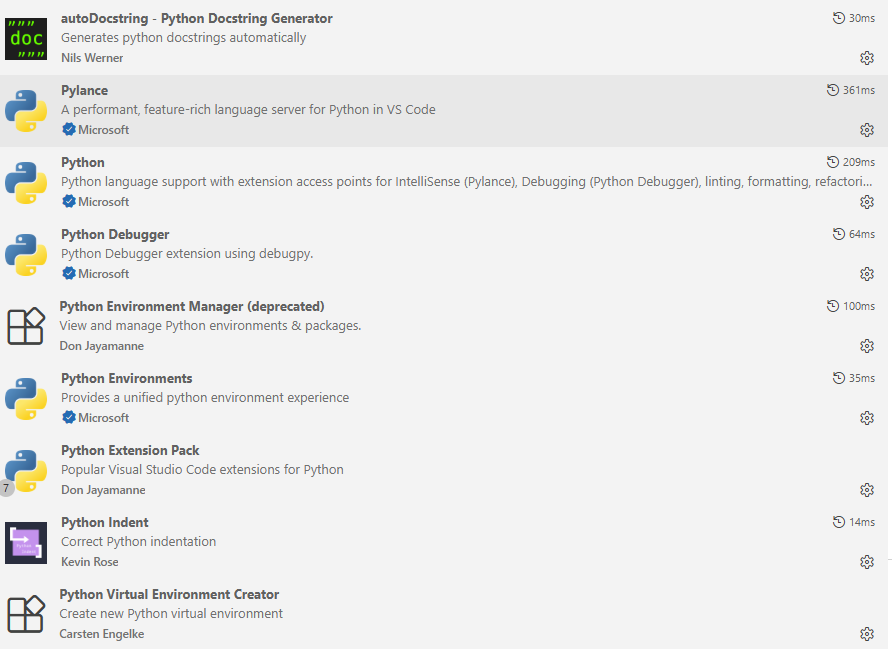
VS code extention used