

四、使用Spring AI实现MCP Client调用MCP Server
==================================================================================
==================================================================================
参考资料:
==================================================================================
同第一篇《一、MCP和Spring AI MCP》参考资料
spring AI实战:mcp客户端_spring-ai-starter-mcp-client-CSDN博客
==================================================================================
1、创建SpringBoot工程
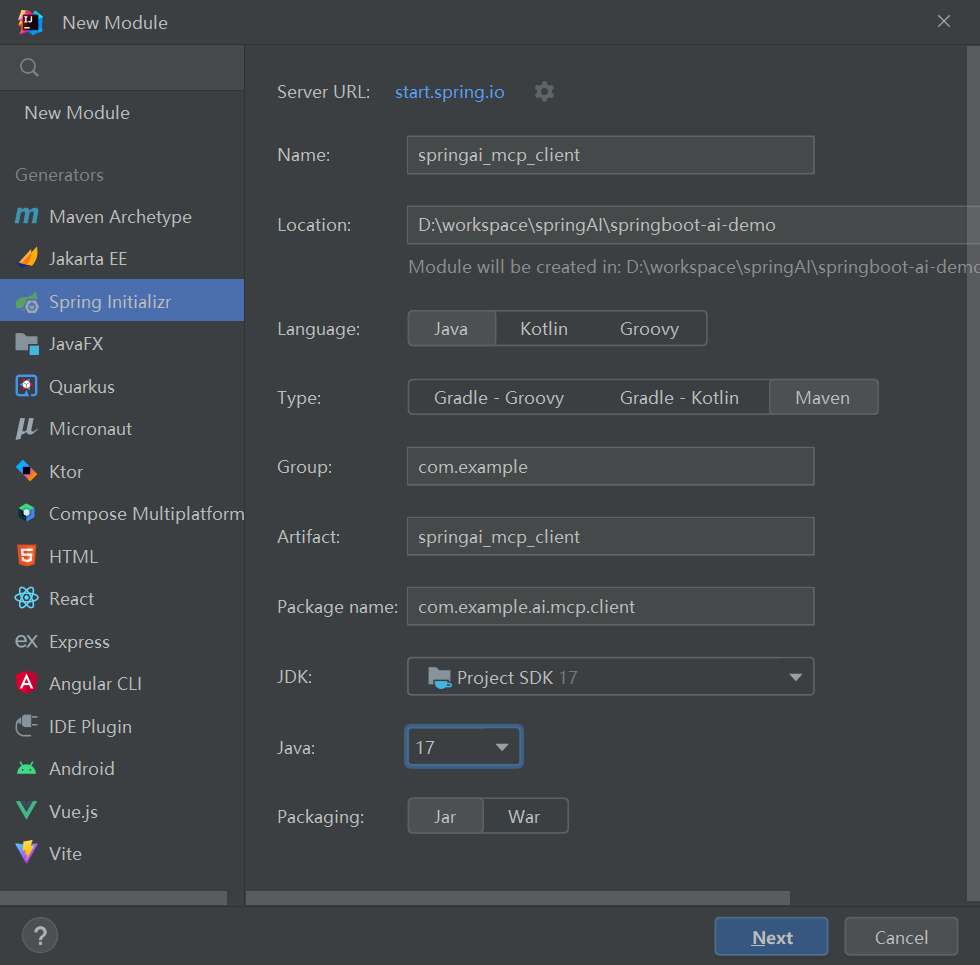
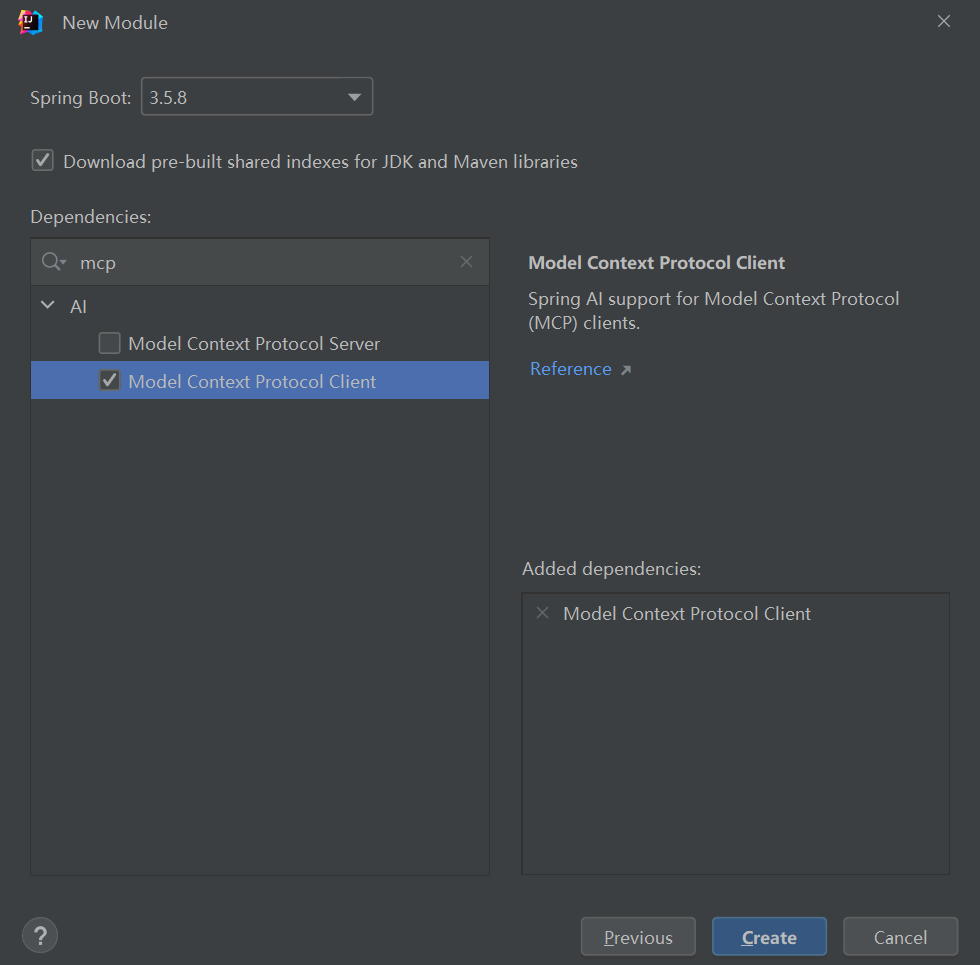
1.1、application.yml
配置文件定义了一个基于 Spring AI 的异步 MCP 客户端,调用了SSE 和 Stdio 两种MCP服务,
server1采用SSE方式,连接指向http://localhost:9090;
server2采用Stdio 方式,Stdio 通过 Java 命令启动,指定 Jar 文件位置。
同时集成大模型qwen3-max。读者需要把api-key替换为自己的key进行测试验证。
server:port: 8896spring:ai:mcp:client:enabled: truename: springai_mcp_clientversion: 1.0.0request-timeout: 30stype: ASYNCtoolcallback:enabled: truesse:connections:server1:url: http://localhost:9090stdio:connections:server2:command: javaargs:- -Dspring.ai.mcp.server.stdio=true- -Dspring.main.web-application-type=none- -Dspring.main.banner-mode=off- -Dfile.encoding=UTF-8- -jar- D:\workspace\springAI\springboot-ai-demo\springai_mcp_stdio_server\target\springai_mcp_stdio_server-0.0.1-SNAPSHOT.jaropenai:# 注意去掉 /v1,Spring AI 会自动补base-url: https://dashscope.aliyuncs.com/compatible-modeapi-key: ${BAILIAN_API_KEY}chat:options:#模型名称: qwen-plus deepseek-v3 deepseek-r1model: qwen3-max1.2、pom.xml
<?xml version="1.0" encoding="UTF-8"?>
<project xmlns="http://maven.apache.org/POM/4.0.0" xmlns:xsi="http://www.w3.org/2001/XMLSchema-instance"xsi:schemaLocation="http://maven.apache.org/POM/4.0.0 https://maven.apache.org/xsd/maven-4.0.0.xsd"><modelVersion>4.0.0</modelVersion><parent><groupId>org.springframework.boot</groupId><artifactId>spring-boot-starter-parent</artifactId><version>3.5.8</version><relativePath/> <!-- lookup parent from repository --></parent><groupId>com.youzhuo</groupId><artifactId>springai_mcp_client</artifactId><version>0.0.1-SNAPSHOT</version><name>springai_mcp_client</name><description>springai_mcp_client</description><url/><licenses><license/></licenses><developers><developer/></developers><scm><connection/><developerConnection/><tag/><url/></scm><properties><java.version>17</java.version><spring-ai.version>1.1.0</spring-ai.version></properties><dependencies><dependency><groupId>org.springframework.boot</groupId><artifactId>spring-boot-starter-web</artifactId></dependency><dependency><groupId>org.springframework.ai</groupId><artifactId>spring-ai-starter-model-openai</artifactId></dependency><dependency><groupId>org.springframework.ai</groupId><artifactId>spring-ai-starter-mcp-client</artifactId></dependency><dependency><groupId>org.springframework.boot</groupId><artifactId>spring-boot-starter-test</artifactId><scope>test</scope></dependency></dependencies><dependencyManagement><dependencies><dependency><groupId>org.springframework.ai</groupId><artifactId>spring-ai-bom</artifactId><version>${spring-ai.version}</version><type>pom</type><scope>import</scope></dependency></dependencies></dependencyManagement><build><plugins><plugin><groupId>org.springframework.boot</groupId><artifactId>spring-boot-maven-plugin</artifactId></plugin></plugins></build></project>
2、新建client
@SpringBootApplication
public class SpringaiMcpClientApplication {public static void main(String[] args) {SpringApplication.run(SpringaiMcpClientApplication.class, args);}@Beanpublic CommandLineRunner predefinedQuestions(ChatClient.Builder chatClientBuilder,ToolCallbackProvider tools,ConfigurableApplicationContext context) {return args -> {// 构建ChatClient并注入MCP工具var chatClient = chatClientBuilder.defaultToolCallbacks(tools).build();// 创建Scanner对象用于接收用户输入Scanner scanner = new Scanner(System.in);System.out.println(">>> 欢迎使用问答系统!输入'exit'退出程序。");while (true) {// 提示用户输入问题System.out.print("\n>>> QUESTION: ");String userInput = scanner.nextLine();// 如果用户输入"exit",则退出循环if ("exit".equalsIgnoreCase(userInput)) {System.out.println(">>> 已退出问答系统。");break;}// 使用ChatClient与LLM交互try {System.out.println("\n>>> ASSISTANT: " + chatClient.prompt(userInput).call().content());} catch (Exception e) {System.out.println("\n>>> ERROR: 无法处理您的请求,请稍后再试。");e.printStackTrace();}}// 关闭Spring上下文context.close();scanner.close();};}
}
3、运行测试
先启动MCP Server服务,再运行MCP Client,进行AI对话,观察日志输出结果,确定是否理解了用户的输入信息,并分别调用了对应的MCP Server服务。
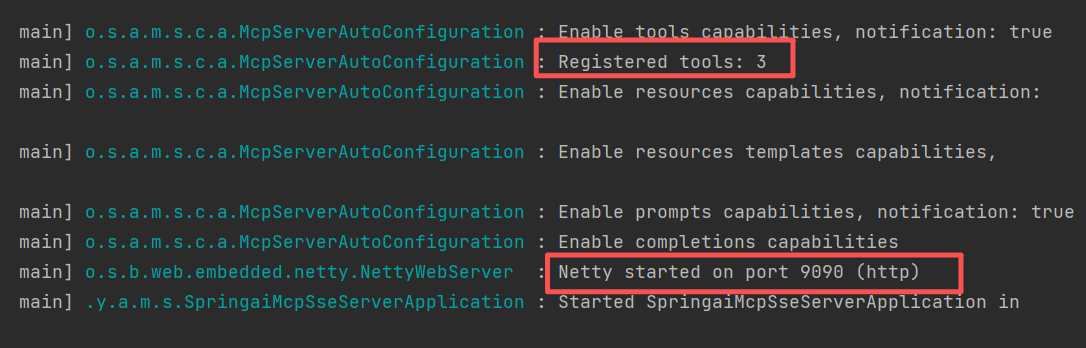
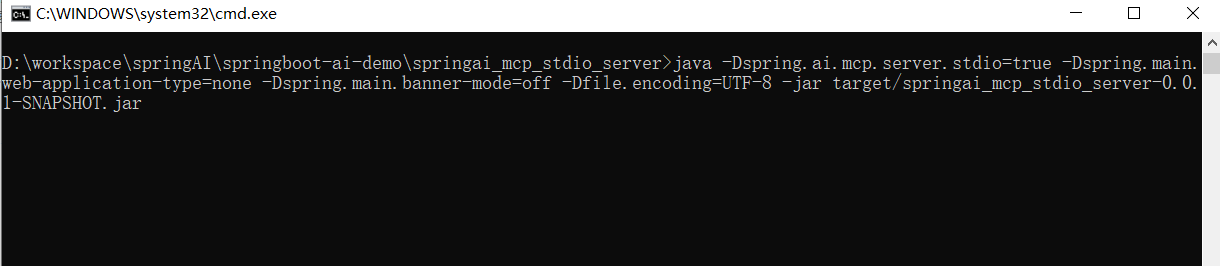
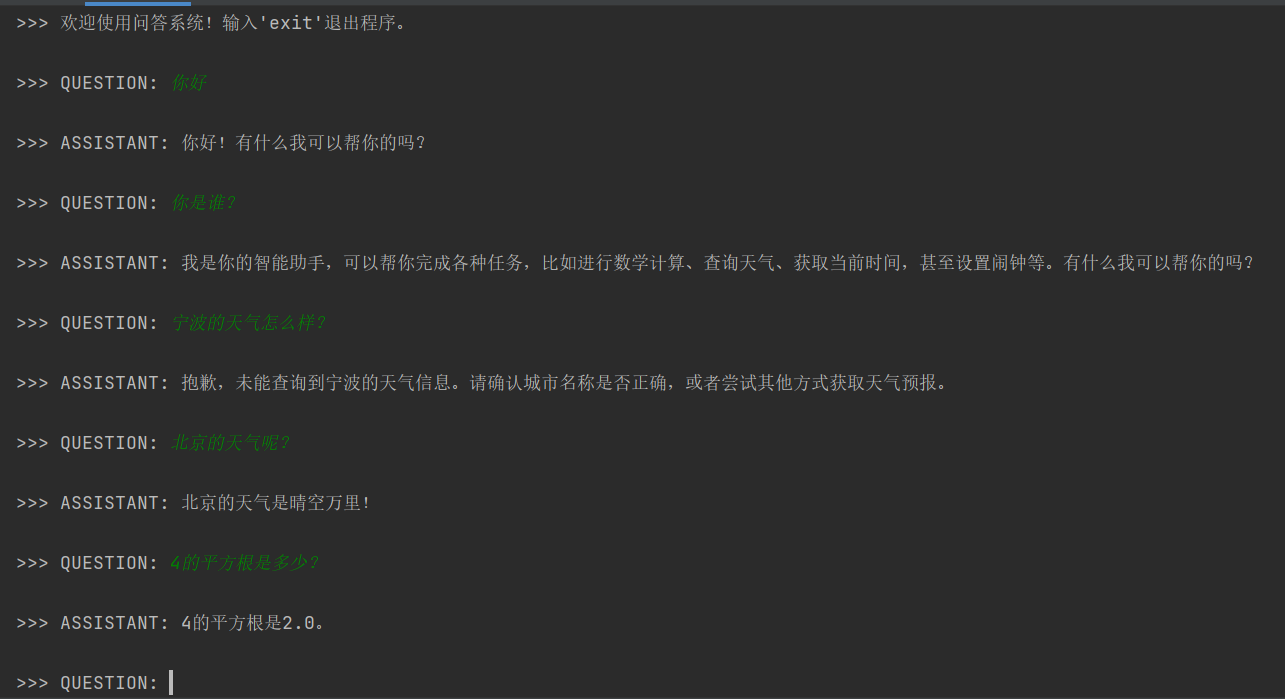


观察输出结果:
- 提问“你是谁?”,大模型回答:“我是你的智能助手,可以帮你完成各种任务,比如进行数学计算、查询天气、获取当前时间,甚至设置闹钟等。有什么我可以帮你的吗?”
说明大模型已经发现了时间和天气预报、算术运算两个MCP服务。
- 提问“宁波的天气怎么样?”,大模型回答:“抱歉,未能查询到宁波的天气信息。请确认城市名称是否正确,或者尝试其他方式获取天气预报。” 再问:“北京的天气呢?”大模型的回答:“北京的天气是晴空万里!”。调用了基于sse协议的MCP Server,可以到该服务后台查看日志,确定是否被调用。
- 提问“4的平方根是多少?”,大模型的回答:“4的平方根是2.0”。调用了基于stdio协议的MCP Server,可以到.log日志文件中查看日志,确定是否被调用。
通过验证结果表明:大模型根据用户的提问,选择了合适的工具进行回答,分别调用了对应的MCP Server服务。
本文来自博客园,作者:老羅,转载请注明原文链接:https://www.cnblogs.com/laoluo2025/p/19277359